
A calm plan for the first year, one feed and one nap at a time.
Small Hours turns Claude, ChatGPT, Gemini or Grok into a steady, well-read friend for new and expecting parents. Tell it your baby's age and what your days look like and get realistic routines, feeding and sleep logs, a shopping list without the clutter, a leave and childcare plan, and clear lines on when to call the pediatrician.
Get Small Hours Parent Guide for $5 Show my baby's day
$5 once · card, Apple Pay or Google Pay · download in a minute
Into more than one hobby? Get all 70 hobby skills for $19, this one included.
- One-time $5
- Instant email delivery
- 14-day refund
- Works in Claude, ChatGPT, Gemini and Grok
Day plan: 4-month-old, 7:00 AM wake
Formula and breast milk · 3 naps · back at work in 6 weeks
Safe sleep checkedTwo parents, staggered leaveDaycare from 20 weeks
- 7:00Wake, feed, bright light and floor playAwake about 1.5 hours before the first napStart
- 8:30Nap 1, on their back in the cribSleep sack, fitted sheet, nothing else in the cribNap
- FeedsAbout 30 oz a day across 7 feeds12 lb × 2.5 oz; follow hunger and fullness cuesFeed
- 6:15Bedtime after a 20-minute wind-downFeed, bath or wipe-down, sleep sack, songNight
- CallFever 100.4°F (38°C) or more under 3 monthsCall the pediatrician right away, day or nightRed flag
The things you look up at 3 a.m., in one place
One skill, six jobs. Claude, ChatGPT, Gemini or Grok picks the right one from what you ask.
Sleep and feeding by age
Realistic routines from newborn to age 3: total sleep, naps, wake windows and feeds, with simple logs that spot patterns.
Safe sleep, every time
Follows American Academy of Pediatrics safe sleep guidance in every plan: back to sleep, a bare crib, room-sharing without bed-sharing.
What to buy (and skip)
A short list for the first three months by budget and space, with the safety checks for car seats, cribs and second-hand gear.
Leave and childcare
Leave dates for both parents, questions for HR, daycare and nanny comparisons, and a plan for the first week back.
Milestones, gently
What many babies do around each age, framed as a wide range, with a clear note on when to raise it with your pediatrician.
Family communication
Kind, clear messages for visitors, grandparents, night-shift splits between partners and asking for help.
Ask it like you'd ask a friend who's done this
It knows what's normal at each age, and it's clear about what isn't.
Probably not (high confidence)
Short naps are very common at 10 weeks. Babies this age often can't link sleep cycles yet, so 30 to 45 minute naps are normal, and the evening fussy stretch often peaks around 6 to 8 weeks and eases by 3 to 4 months.
Things worth trying this week
- Watch the clock as well as the cues: aim for a nap after about 60 to 90 minutes awake. Overtired babies fight sleep harder.
- Make the last evening stretch calm and dim, and try an earlier bedtime for a few nights.
- Keep every sleep safe: on their back, in a bare crib or bassinet, even for short naps on a tough day.
When to call the pediatrician
Call if crying lasts more than 3 hours a day most days, if it comes with fever, vomiting, poor feeding or fewer wet diapers, or if your gut says something is wrong. Call 911 for any trouble breathing.
Example answer from the full skill. Your answers depend on what you ask.
Honest about babies
Parenting advice is loud and contradictory. Small Hours keeps to the evidence and to your baby.
- Safe sleep isn't optionalIt won't suggest inclined sleepers, weighted sleep sacks, bed-sharing or bumpers, even to get more sleep.
- Ranges, not report cardsMilestones and sleep totals are shown as wide ranges. Your baby isn't behind because of one chart.
- No medical dosingIt never gives medicine doses or diagnoses. It lists red-flag symptoms and tells you when to call the pediatrician or 911.
- Your family, your callBreast, bottle or both, daycare or home: it plans around your choices without judging them.
Up and running in two minutes
No app to learn and nothing to install on your computer. It lives inside Claude, ChatGPT, Gemini or Grok.
Buy once
Pay $5 by card, Apple Pay or Google Pay. Your download link arrives by email in about a minute.
Add it to Claude, ChatGPT, Gemini or Grok
Upload the ZIP under Skills in Claude, or the unzipped folder in Gemini. It takes about 30 seconds. In Grok, upload the ZIP, or paste the included paste-in file into a new skill. In ChatGPT, add the included paste-in file to a Project.
Just ask
"Make a routine for our 6-month-old." "What do we actually need before the baby comes?" "Split night feeds so we both get 5 hours."
Pick your app for the exact clicks
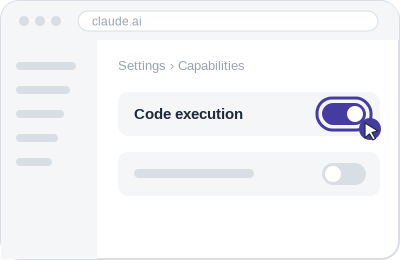
1In Settings, then Capabilities, turn on code execution.
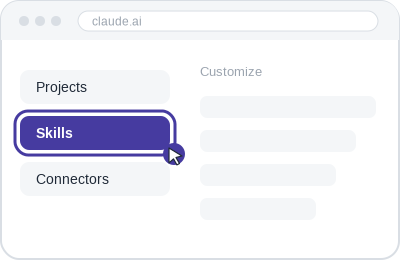
2Open Customize, then Skills.
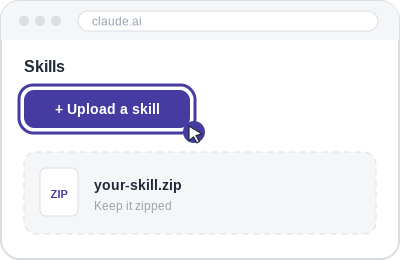
3Click +, choose Upload a skill, pick the ZIP. Keep it zipped.
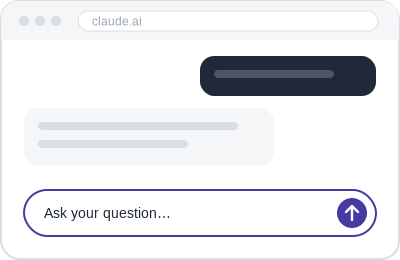
4Start a new chat and ask. Claude picks up the skill.
Works on every Claude plan, including the free one. Free plans have lower usage limits.
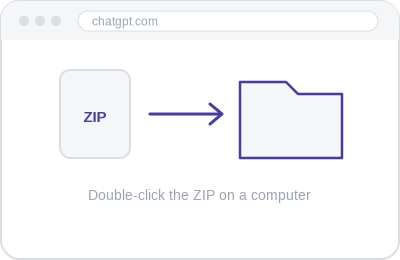
1On a computer, unzip the download and find ANY-AI-PASTE-VERSION.txt.
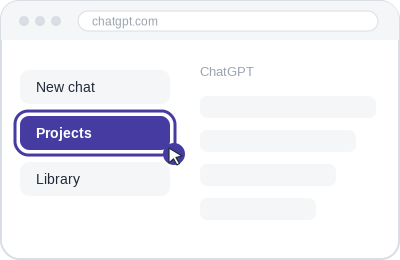
2In ChatGPT, open Projects and make a new project.
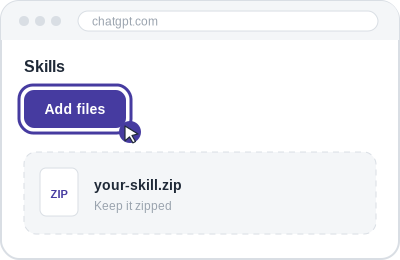
3Add the .txt file to the project. In its instructions, type: Follow the attached file.
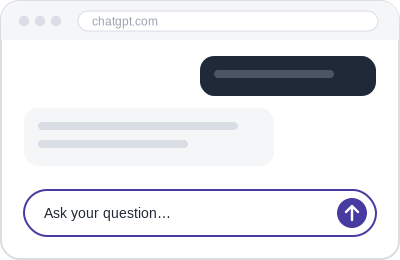
4Start a chat in that project and ask. On a Business, Enterprise or Edu plan, you can upload the ZIP under Skills instead.
Personal ChatGPT plans (Free, Plus, Pro) don't have a Skills page yet, so you use the paste-in version in a Project. On a Business, Enterprise or Edu plan, go to chatgpt.com/skills, choose Add, then Upload from your computer.
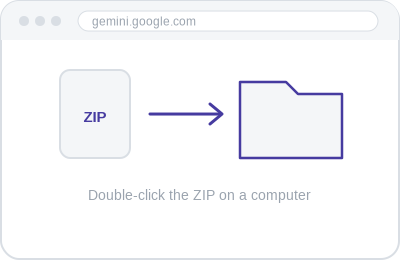
1On a computer, unzip the download. You get a folder.
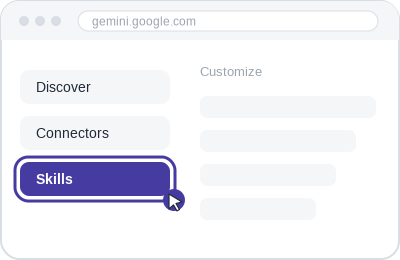
2At gemini.google.com, open Customize, then Skills.
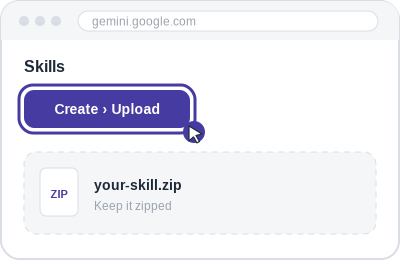
3Choose Create, then Upload, then folder. Pick the unzipped folder.
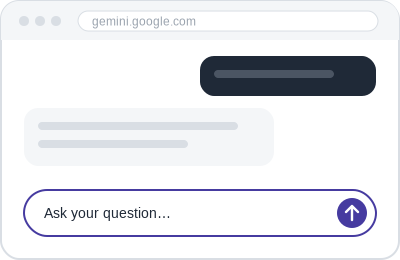
4Start a new chat and ask.
Gemini takes the unzipped folder, not the ZIP. Menus in Gemini change often, so names may differ slightly.
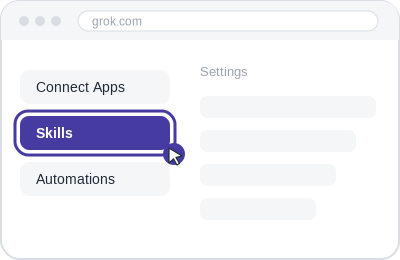
1At grok.com, open Settings, then Skills.
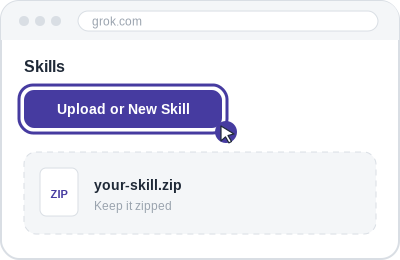
2If you see Upload, pick the ZIP. If you only see New Skill, use the next step.
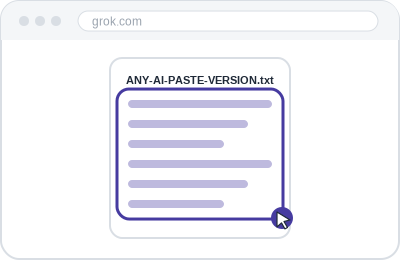
3New Skill: name it, then paste the text of ANY-AI-PASTE-VERSION.txt (below the line of equals signs) into Instructions.
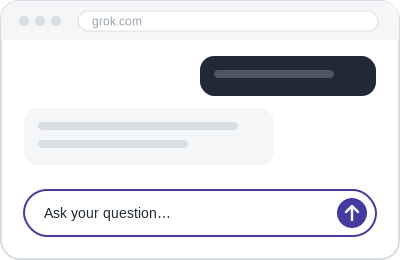
4Save it, start a new chat and ask.
Some Grok plans upload the ZIP; others show a New Skill form, where you paste the skill text in. Menus in Grok change often, so names may differ slightly.
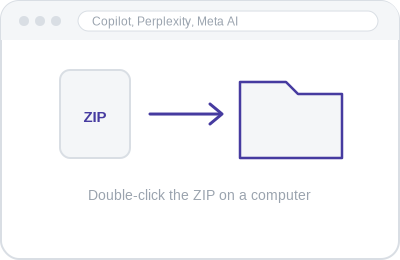
1No Skills page? Unzip the download on a computer.
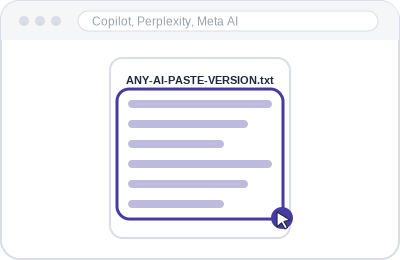
2Open ANY-AI-PASTE-VERSION.txt and copy everything.
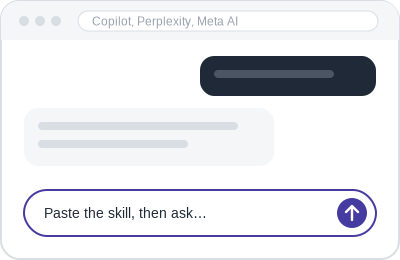
3Paste it into a new chat, then ask your question.
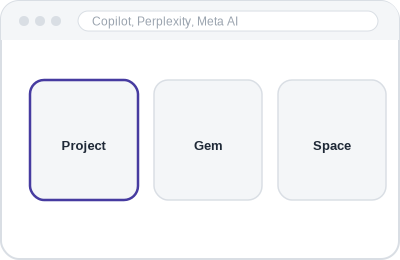
4To keep it on, add it to a ChatGPT Project, Gemini Gem or Perplexity Space.
Using Claude Code, Codex, Cursor or another coding agent? Unzip it into the skills folder, for example unzip small-hours-parent-guide.zip -d ~/.claude/skills/
On your phone? Go ahead and buy: the download link goes to your email and works for a year. Adding a skill is easiest from a computer, in a web browser or the desktop app, so open that email there when you're ready. Want to try it on your phone today? Open the ZIP, copy ANY-AI-PASTE-VERSION.txt into any chat app, and ask.
Start with the free Day Plan
A small skill that builds a one-page day for your baby's age: wake time, naps, feeds and bedtime, with the safe sleep basics and the signs that mean call the doctor.
- Matched to your baby's age in weeks
- Sample naps, feeds and bedtime
- Safe sleep and red-flag reminders
Get Small Hours Parent Guide
Pay once, use it from the last trimester to the toddler years. Includes the free Day Plan too.
How to add it
Upload the ZIP under Skills in Claude, or the unzipped folder in Gemini (in Grok, upload the ZIP or paste the paste-in file into a new skill; in ChatGPT, add it to a Project), then start a new chat and try: "Our baby is 4 months old, wakes at 7 a.m. and is formula fed. Make us a simple day routine with naps, feeds and bedtime."
See the clicks for your app. Every download also comes with a paste-in version for any other chat, and a Start Here PDF.
Step-by-step guides with pictures: Claude · ChatGPT · Gemini · Grok
Small Hours Parent Guide
Routines, logs, shopping, leave, milestones and when to call the doctor.
$5 one time
- Sleep and feeding routines by age, newborn to 3 years
- Feeding, sleep and diaper log templates with pattern review
- First-three-months shopping list by budget
- Leave, childcare and return-to-work plans
- Milestone ranges and when to ask your pediatrician
- Red-flag symptom list and safe sleep checks
- Updates for a year
Card, Apple Pay or Google Pay through Stripe. Taxes calculated at checkout. 14-day refund.
Giving it as a gift? Buy it, forward the email, and print a gift card.
See a real answer from the full skill
You ask: Our 10-week-old only naps 30 minutes at a time and fights sleep after 6 p.m. Are we doing something wrong?
Probably not (high confidence)
Short naps are very common at 10 weeks. Babies this age often can't link sleep cycles yet, so 30 to 45 minute naps are normal, and the evening fussy stretch often peaks around 6 to 8 weeks and eases by 3 to 4 months.
Things worth trying this week
- Watch the clock as well as the cues: aim for a nap after about 60 to 90 minutes awake. Overtired babies fight sleep harder.
- Make the last evening stretch calm and dim, and try an earlier bedtime for a few nights.
- Keep every sleep safe: on their back, in a bare crib or bassinet, even for short naps on a tough day.
When to call the pediatrician
Call if crying lasts more than 3 hours a day most days, if it comes with fever, vomiting, poor feeding or fewer wet diapers, or if your gut says something is wrong. Call 911 for any trouble breathing.
Into more than one hobby? The Skill Pass gets you all 70 hobby skills, this one included, for $19.
New to AI skills?
Small Hours is a skill: a set of expert instructions you add to your own Claude, ChatGPT, Gemini or Grok account, so it answers like a new parent guide who knows the craft.
- Using Gemini? Unzip it and upload the folder on its Skills page. Using Grok? Under Settings, Skills, upload the ZIP or paste the paste-in file into a new skill. Using ChatGPT? Add the included paste-in file to a Project.
- New to all of them? Claude is an AI assistant made by Anthropic. Make an account at claude.ai: skills work on every Claude plan, including the free one, with code execution turned on in Settings, Capabilities.
- Try the free Day Plan skill first. If you like it, the full skill is one purchase.
Not ready for an AI app? The free baby sleep schedule by age on this site works in any browser, no account needed.
Free new parent tools
No sign-up, they run in your browser.
Made by Nic Hubert, What If Labs
I run What If Labs from British Columbia, Canada. I build each skill with AI help and test it on real questions, and a separate reviewer checks it before it goes on sale. If it doesn't do what this page says, email me at hello@whatiflabs.ai and I'll fix it or refund you.
No reviews yet: this store is new. Tell me how it went and I'll use it to make the skill better.
Questions
What ages does it cover?
Pregnancy prep through about age 3: newborn feeding and sleep, the 4-month changes, starting solids, dropping naps, and toddler routines.
Is it medical advice?
No. It shares general guidance from sources like the American Academy of Pediatrics, never gives medicine doses or diagnoses, and tells you clearly when to call your pediatrician or 911.
Does it push sleep training?
No. It explains the gentle and the more structured approaches honestly, when families usually consider them, and plans around what you choose.
We're outside the US. Does it still work?
Yes. Sleep and feeding guidance is much the same, it works in ounces or millilitres, and for leave and childcare it asks where you live and points you to your local rules.
What do I need to use it?
A Claude, ChatGPT, Gemini or Grok account. In Claude it works on any plan, including the free one, with code execution turned on (Settings, Capabilities). Free accounts have lower usage limits, so long planning sessions go further on a paid plan. It works in Claude on the web, the desktop app and Claude Code. In Gemini and Grok, upload it on the Skills page. In ChatGPT, personal plans (Free, Plus, Pro) don't have Skills yet, so you add the included paste-in file to a ChatGPT Project; Business, Enterprise and Edu plans can upload the ZIP under Skills. Coding agents that read SKILL.md files work too. Using Copilot, Perplexity, Meta AI or another chat with no Skills page? Every download includes a paste-in version (ANY-AI-PASTE-VERSION.txt) that works in any AI chat.
What if it doesn't work for me?
Email hello@whatiflabs.ai within 14 days of buying and we'll refund you in full. No forms, no questions.
How is this different from just asking an AI?
A general AI answer is often vague or skips steps. The skill gives your AI an expert's method: what to ask you first, the checklists and calculations to run, and the mistakes to warn you about. You get consistent, specific answers instead of a different guess each time.
Do I pay every month?
No. It's a one-time price, and updates to the skill are free.
Can I get a refund?
Yes. Every purchase comes with a 14-day refund, no questions asked. Reply to your receipt email and we'll take care of it.
What if it gets something wrong?
It shows its working, so you can check numbers and dates. Tell it what's off and it will correct itself. For anything where a mistake costs money or safety, double-check before you act, as you would with any advice.
Is my information private?
The skill runs inside your own Claude, ChatGPT, Gemini or Grok account, and we never see your chats. When you buy, Stripe handles the payment and we keep your email and order so we can send the download. The terms and privacy page has the details.